The perfect cooking companion the Wireless Under Cabinet Music System doesn't take up counter space, connect to your Bluetooth devices and plays your favorite FM stations.
The perfect cooking companion the Wireless Under Cabinet Music System doesn't take up counter space, connect to your Bluetooth devices and plays your favorite FM stations.
FEATURES
Bluetooth wireless
Digital FM radio (PLL)
Negative LCD display with white backlight
Station memory presets (20 FM)
Timer
Digital clock
Single alarm
LED lighting
Dimmer control
Pairing button
Play/pause button
Digital volume control
Wireless range: 60 feet
Built-in FM wire antenna
Built-in stereo speakers
Last user's setting memory
DC power input: requires an AC/DC power adapter (included)
Battery backup for clock: requires 2 AAA batteries (not included)
Dimensions: 11.5 x 3.13 x 8.31
INCLUDES
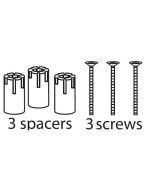
Mounting hardware: 4 spacers, 4 screws
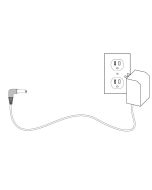
AC/DC power adapter
Warranty
User's guide
How do I power the unit?
Plug the included AC/DC adapter into the DC power input on the unit and into a wall outlet. The system does not run on batteries alone.
What is the battery backup for?
The battery backup (2 AAA batteries, not included) is only for short power outages. It keeps settings like the clock but won’t power normal operation.
How do I connect a Bluetooth device?
Press the Pair button.
Enable Bluetooth on your device.
Select the unit from your device’s Bluetooth list.
Once connected, use Play/Pause to control audio.
How do I use the radio?
Press Source to switch to Radio mode.
Use Tune +/- to change stations.
Hold Tune +/- to auto-search for stations.
How do I save a radio station preset?
Tune to a station.
Press and hold Play/Pause (MEM/CLK) to save it.
Press Play/Pause to cycle through saved presets.
How do I adjust the volume?
Use the Volume +/- buttons to increase or decrease sound.
How do I set the clock?
Turn the unit off.
Press and hold MEM/CLK to begin setting the clock.
How do I set an alarm or timer?
Press Alarm to set an alarm.
Press Timer to set a countdown timer.
Follow prompts using the controls.
How do I control the light and display brightness?
Press Light/Dimmer to turn the under-cabinet light on/off.
Press and hold it to dim the display.
How do I switch between Bluetooth and Radio?
Press the Source button to toggle between modes.
Why isn’t my unit working properly?
Check for:
Loose power connections
Interference from nearby electronics (especially fluorescent lights)
Incorrect mode selection (Bluetooth vs Radio)
The clock has stopped working, how can I fix it?
Performing a power drain can help reset the clock in the event time stops advancing.