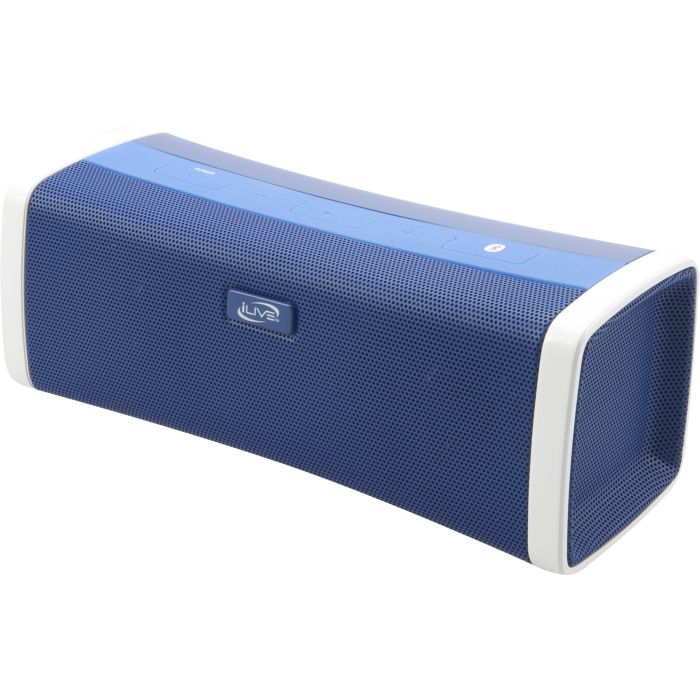
Experience phenomenal stereo sound in a compact and stylish Bluetooth speaker. The ISB394 features a built-in phone charger, audio input, and a built-in rechargeable battery.
Experience phenomenal stereo sound in a compact and stylish Bluetooth speaker. The ISB394 features a built-in phone charger, audio input, and a built-in rechargeable battery.
Features
<
Supports Bluetooth v2.0
Built-in stereo speakers
Supports profile A2DP (Advanced Audio Distribution Profile)
Supports automatic device pairing
3.5mm audio input
USB port for mobile phone charging
Micro-USB port for battery recharge
LED pairing indicator
Pairing button
Metal speaker grill
Wireless range: 33 feet
Digital volume control
On/off switch
DC battery power: built-in rechargeable lithium ion battery
DC power input: requires an AC/DC power adapter (included)
Battery life: ~3 hours
Includes
Micro-USB to USB cable
Warranty
User's guide
How do I pair my Bluetooth device with the ISB394?
* Before attempting to pair your device to the ISB394, take a moment to power on your pairing devices Bluetooth feature and learn some basic controls operations if you have not done so already.
Power on the ISB394
Press and hold the pair button until the blue L.E.D. light on the ISB394 begins to blink.
From you your Bluetooth enabled device search and select the ISB394
Once the ISB394 has been selected pairing will confirm with a tone
Visually the device will display ISB394 name and “Paired”
Can I used multiple speakers with a single bluetooth source?
No, only one ISB394 will pair and play to a single bluetooth source at a time (1:1), and cannot share this audio source with other ISB394 devices.
How many Bluetooth devices will the ISB394 store in paired memory?
A total of eight paired devices will be stored into memory. When the ninth device is paired the first paired device is forgotten and so on.
I’m done listening…. How do I un-pair my Bluetooth device?
Simply power off the ISB394 to disconnect. The two devices will re-pair once the ISB394 is powered on again.
My device shows that it is paired but when I play music there is no audio?
Is the Line Input disconnected? (Line in over rides all processes)
Adjust the volume from the paired bluetooth device
Delete pairing and try repairing again
Confirm your device supports A2DP Profile (Your device would pair, but no audio would pass if it did not have this profile)
Is there another Bluetooth device connected?
Do you have the latest firmware for your device?
I’m experiencing interference in the audio during playback?
Bluetooth is a very stable technology, but in the rare case of lose of audio signal please try the following
Move closer to the Bluetooth speaker (max range is 30 feet)
Make sure your device is not Bluetooth enabled to another function or device (headset, keyboard, computer link)
Try deleting and repairing both devices to resolve