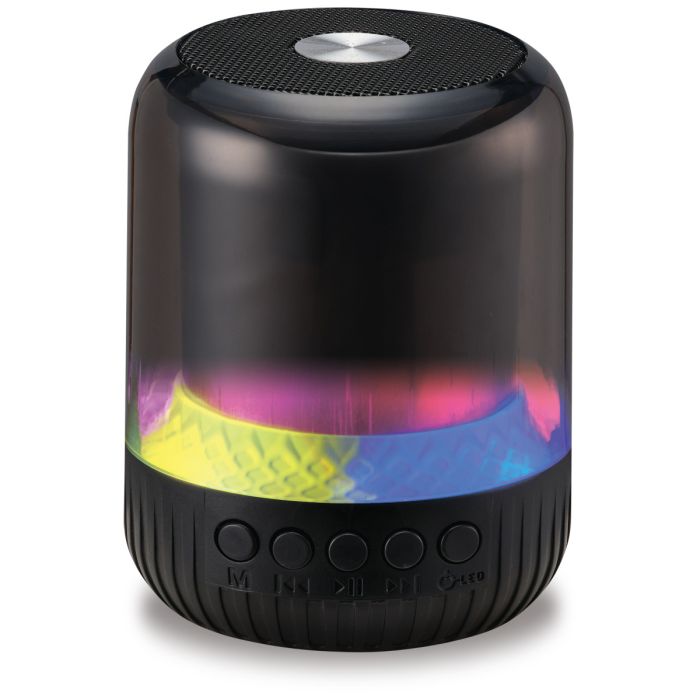
How do I turn the speaker on or off?
Press and hold the Power button until the speaker powers on or off.
How do I pair the speaker with my Bluetooth device?
- Turn on the speaker.
- Wait until you hear "Bluetooth."
- On your phone or tablet, open Bluetooth settings and select ISB26.
- When connected, you'll hear "Bluetooth connected."
How close should my device be during pairing?
Keep your Bluetooth device within approximately 3 feet (1 meter) of the speaker during the initial pairing process.
How do I put the speaker back into pairing mode?
Press and hold the Play/Pause/Pair button until the speaker enters Bluetooth pairing mode.
Can I play music from a USB drive or MicroSD card?
Yes. Insert a USB drive or MicroSD card (up to 64GB), and the speaker will automatically switch to that source.
How do I switch between Bluetooth, USB, and MicroSD modes?
Press the Mode button to cycle through the available audio sources.
How do I adjust the volume?
- Press Vol – to decrease the volume.
- Press Vol + to increase the volume.
How do I skip songs?
- Press and hold Vol + to skip to the next track.
- Press and hold Vol – to return to the previous track.
How do I pause or resume music?
Press the Play/Pause button once to pause or resume playback.
How do I change the speaker lights?
Press the Power/LED button briefly to cycle through the available light modes.
How long does it take to charge the speaker?
A full charge takes approximately 2 hours.
How do I know when the battery is fully charged?
- Solid red LED: Charging
- LED off: Fully charged
What charging cable does the speaker use?
The speaker uses a USB-C charging port and includes a USB-C to USB-A charging cable.
Does the speaker include a wall charger?
No. A USB power adapter is not included. You can charge the speaker using a powered USB port or a compatible USB power adapter.
What happens when the battery gets low?
The speaker will play a low battery alert before the battery is depleted. If the volume is above 80%, the speaker may automatically power off after the alert.
Can I connect two ISB26 speakers together?
Yes. The speaker supports Party Plus (True Wireless Stereo) mode.
To connect two speakers:
- Turn on both ISB26 speakers and place them in Bluetooth mode.
- Press the Play/Pause/Pair button twice on one speaker.
- Wait for the announcement "Speaker connected."
- Audio will play through both speakers simultaneously.
Can I turn the voice prompts off?
Yes. Press and hold the Mode button to turn voice prompts on or off.
18. What comes in the box?
The package includes:
- ISB26B Mini Light Wireless Speaker
- USB-C to USB-A charging cable
- User's Guide