This 2.1 channel powered speaker system with subwoofer is the perfect accessory for any room. Stream your music with Bluetooth, connect a TV, DVD player, video game system, MP3 player, or computer and be blown away by the magnificent sound. The subwoofer packs a punch, delivering quality sound every time whether you use Bluetooth or the Aux in. The included remote adds more convenience so you can relax and take control from the couch.
SOUND BAR:
37" length
Bluetooth wireless
2.1 channel stereo sound
Bluetooth range: 60 feet
Learning remote control capability
Built-in stereo speakers
Optical digital audio input
Subwoofer output
Aux in (3.5mm audio input)
RCA stereo audio inputs
Digital volume control
Pairing button
LED pairing indicator
LED source indicators
LED power indicator
Wall mountable
Cloth speaker grill
Remote
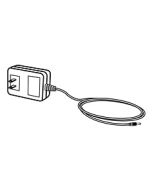
DC power input: requires an AC/DC power adapter (included)
Soundbar Dimensions: 37 x 2.8 x 2.6
Subwoofer Dimensions: 8.27 x 8.27 x 9
SUBWOOFER:
Wireless subwoofer range: 33 feet
Wooden subwoofer enclosure
On/off switch
DC power input: requires an AC/DC power adapter (included)
Is the subwoofer wireless? If yes, how can I connect the subwoofer to the soundbar?
Yes, the subwoofer is wireless.
Power ON the subwoofer while the sound bar is ON. The subwoofer will now automatically begin connecting to the sound bar.
When the subwoofer has connected to the sound bar the Connect LED indicator will turn solid blue. When audio is played through any source, the speaker will automatically use the connected subwoofer.
If the connection has failed or is lost, the indicator will turn off. Power OFF the subwoofer and power it ON again to try reconnecting.
NOTE: To reduce unwanted vibration, try placing the subwoofer on a solid or padded surface, such as the floor or carpet.
What do the different Indicator Lights mean?
Power Off – Red light
Bluetooth Standby/ Pairing – Slow/Quick Flashing Blue Light
Optical Mode – Orange Light
Aux In (RCA) Mode – White Light
Line In Mode – Green Light
What type of connections does the Soundbar have?
The Soundbar can use Optical Input, RCA Input, Line In, and Bluetooth Connection. The Soundbar comes with the Optical Cable only.
Can I turn off/on voice prompts for the unit?
Yes, you can do so if you have Version ID 2702. The volume of the voice prompts cannot be changed but you are to turn off the Voice Prompts by pressing and holding Music button for 5 seconds.