GrooveTunes provides phenomenal sound in a small package. Play music from your Bluetooth device and listen to it wirelessly. The Bluetooth Speaker is compatible with iPhone, iPod touch, iPad, most Android and Blackberry devices, mobile phones, tablets, and other Bluetooth devices. #giftguidecollege15
Features:
Built-in Bluetooth speaker
Supports Bluetooth v2.1
Supports Bluetooth profile A2DP (Advanced Audio Distribution Profile)
LED pairing indicator
Pairing button
3.5mm audio line input
Wireless range: 30 feet
Mini-USB port for battery recharge
DC battery power: built-in rechargeable lithium ion battery
Battery life: ~2 hours
Includes:
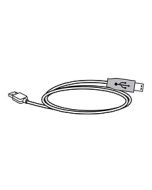
Mini USB to USB charging cable
Warranty
User’s guide
IMPORTANT NOTE: Do not press and hold the pair button longer than 6 seconds. This will put the device into sleep mode a deactivate bluetooth pairing. Please only press and hold the pairing button for a maximum of 3 seconds. If you do inadvertently enter sleep mode, please cycle the power on and off to exit sleep.
How do I pair my Bluetooth device with the ISB212?
* Before attempting to pair your device to the ISB212S, take a moment to power on your pairing devices Bluetooth feature and learn some basic controls operations if you have not done so already.
Power on the ISB212
Press and hold the pair button until the blue L.E.D. light on the side of the ISB212 begins to blink.
From you your Bluetooth enabled device search and select the ISB212
Once the ISB212 has been selected pairing will confirm with a tone
Visually the device will display ISB212 name and “Paired”
Can I used multiple speakers with a single bluetooth source?
No, only one ISB212 will pair and play to a single bluetooth source at a time (1:1), and cannot share this audio source with other ISB212 devices.
How many Bluetooth devices will the ISB212 store in paired memory?
A total of eight paired devices will be stored into memory. When the ninth device is paired the first paired device is forgotten and so on.
I’m done listening…. How do I un-pair my Bluetooth device?
Simply power off the ISB212 to disconnect. The two devices will re-pair once the ISB212 is powered on again.
My device shows that it is paired but when I play music there is no audio?
Is the Line Input disconnected? (Line in over rides all processes)
Adjust the volume from the paired bluetooth device
Delete pairing and try repairing again
Confirm your device supports A2DP Profile (Your device would pair, but no audio would pass if it did not have this profile)
Is there another Bluetooth device connected?
Do you have the latest firmware for your device?
I’m experiencing interference in the audio during playback?
Bluetooth is a very stable technology, but in the rare case of lose of audio signal please try the following
Move closer to the Bluetooth speaker (max range is 30 feet)
Make sure your device is not Bluetooth enabled to another function or device (headset, keyboard, computer link)
Try deleting and repairing both devices to resolve