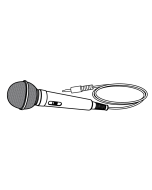
Your karaoke party won't stand a chance without our Karaoke Singing Stand. Adjust the stand to the proper height and get in the zone with voice (harmonize, high pitch, low pitch) and sound (air horn, cheering, DJ, and applause) effects. Featuring a guitar input, rhythmic LED lights, and a disco ball, you'll sound your best while you rock the house. For more sing-along fun, add a second microphone (not included) and sing duets with a friend. Stand up and get singing!
Supports Bluetooth 5.0
Built-in speakers
Adjustable height
Voice effects: high pitch, low pitch
Sound effects: air horn, cheering, DJ scratch, applause
Automatic voice control
Microphone volume control
Echo control
Master volume control
Music reactive LED disco ball
Aux in (3.5mm audio input)
2 microphone inputs
Guitar input
2 built-in microphone holders
Light on/off switch
Play/pause/pairing button
On/off switch
Wireless range: 59 feet
LED pairing indicator
LED power indicator
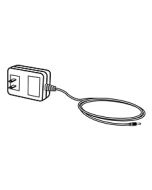
DC power input: requires an AC/DC power adapter (included)
Does the unit has microphone and guitar inputs?
Yes, the unit has 2 Microphone and 1 Guitar input.
Does the unit has Bluetooth?
Yes, see below for Bluetooth Connection.
Initial Bluetooth Connection and Playing Audio
Power ON the karaoke machine by pressing the Power button. A voice will say, “Bluetooth is connecting,” and the LED indicator will slowly flash blue. When pairing, remain within 3 feet of the Bluetooth device.
Using the controls on your Bluetooth device, select IJBS90 in the Bluetooth Settings to pair. If need be, refer to the user’s manual of your specific device for more information.
When successfully paired, a voice will announce, “Bluetooth is connected,” and the LED indicator will turn solid blue. Audio from the connected Bluetooth device will now be heard through the speaker.
Use the controls on the connected Bluetooth device to select and play audio. Use the speaker controls or the connected Bluetooth device to play, pause, and adjust the volume level.
After initial pairing, anytime the speaker powers ON it will automatically connect to the last Bluetooth device used.
Note: If your device should become unpaired or you find it is unable to connect, press & hold the Play/ Pause/Pair button to enter to Pairing Mode. A voice will announce, “Bluetooth is connecting,” and you can connect to the speaker manually.
NOTE: Automatic Voice Control only works when an audio source is connected to the Aux In. When connected, the AVC effect will mute the vocals on a multiplex (CD/CD+G) when singing is detected through the microphone on the karaoke machine. Use the AVC dial to adjust the strength of the effect.