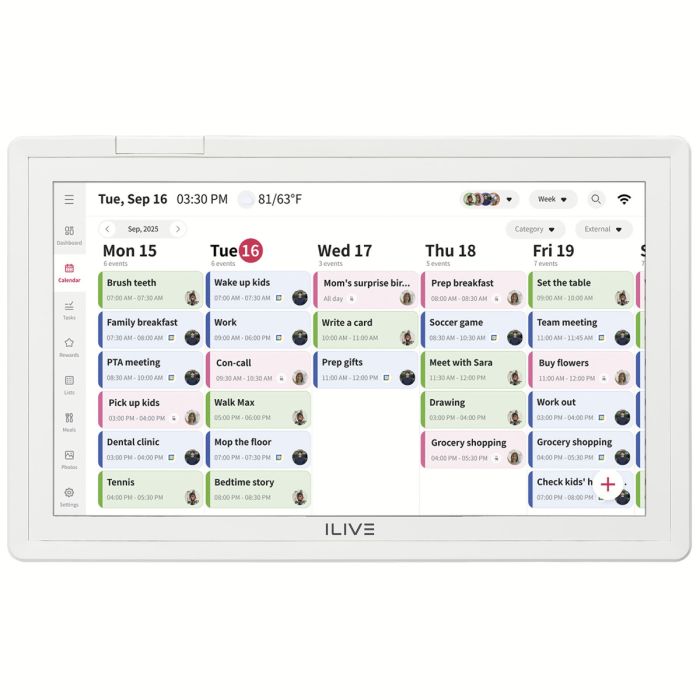
How do I turn on the calendar?
Connect the included power adapter. The calendar powers on automatically the first time it is plugged in.
How do I turn the screen off without shutting down the device?
Quickly press the Power button to turn the display on or off while the calendar remains powered.
How do I completely power off the calendar?
Press and hold the Power button for approximately 3 seconds. Always power the device off before unplugging the power adapter.
How do I reset the calendar?
Use a paper clip or similar small object to press the Reset button located in the reset pinhole.
How do I connect to Wi-Fi?
- Tap the screen to open the dashboard.
- Open Settings.
- Select Wi-Fi.
- Choose your wireless network and enter the password if prompted.
What happens during the initial setup?
The calendar will guide you through:
- Selecting a language
- Setting the date and time (or enabling automatic time sync)
- Creating or adding user accounts
Do I need the Whale Framely app?
The app is recommended if you want to:
- Manage your calendar remotely
- Send photos and videos
- Sync external calendars
- Add family members from your phone
Where can I download the app?
The Whale Framely app is available for Android and iPhone through Google Play and the Apple App Store.
Can multiple people use the same calendar?
Yes. Multiple family members can have their own profiles on the same calendar.
Do I need an email address?
If you create an account directly on the calendar, an email address is optional. However, accounts without an email cannot sync with external calendars.
Which calendars can I sync?
The calendar supports syncing with:
- Google Calendar
- iCloud Calendar
- Outlook Calendar
- Cozi
- SnapTeam
Which calendars support two-way sync?
Google, iCloud, and Outlook support two-way synchronization. Changes made on either device appear on both.
How do I create an event?
Open the Calendar section, tap the + button, enter the event details, and save.
Can I assign tasks to family members?
Yes. Tasks can be assigned to specific members when they are created.
Can I create recurring tasks?
Yes. Recurring tasks can be created using the Whale Framely app.
What are Rewards?
Rewards allow you to create incentives that family members can earn by completing assigned tasks.
How do I redeem a reward?
Open the Rewards section, select the family member, choose the reward, and tap Redeem.
Can I create shopping or to-do lists?
Yes. The Lists feature allows you to create and manage custom lists.
Does the calendar support meal planning?
Yes. You can build meal plans, add recipes, edit ingredients, and organize meals for each day.
How do I send photos to the calendar?
Using the Whale Framely app:
- Open the connected device.
- Select Gallery.
- Choose your photos or videos.
- Send them to the calendar.
Is there a limit?
You can upload up to 50 photos at one time. Videos must be under 60 seconds.
Can the calendar display a slideshow?
Yes. You can customize:
- Slideshow timing
- Display mode
- Background effects
- Auto-play for videos
- Screensaver photos
Can I adjust the screen brightness?
Yes. Brightness is available in the General Settings menu.
Can I change the language?
Yes. Multiple language options are available in Settings.
Does the calendar have Sleep Mode?
Yes. Sleep Mode turns the screen off during scheduled hours to save power. By default, it is set from 8:00 PM to 8:00 AM.
Can I password protect my account?
Yes. Account Protection allows you to set a password for linked account information.