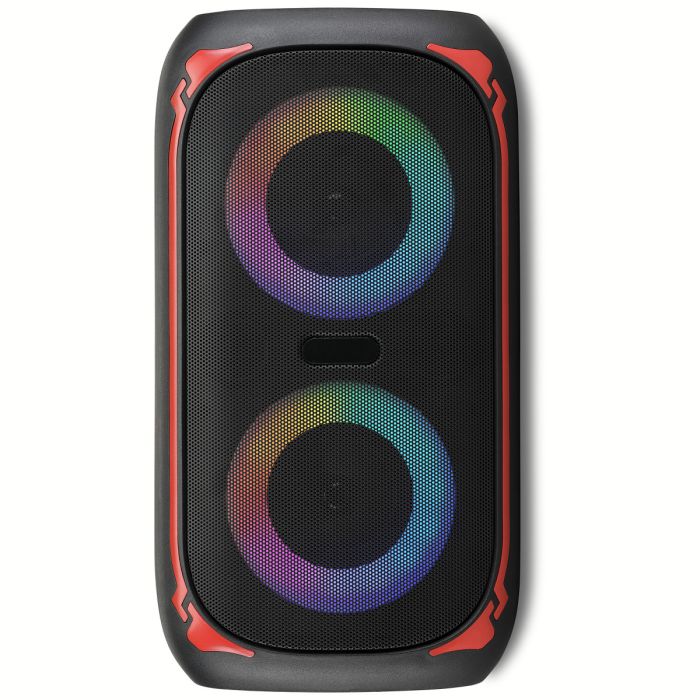
What audio sources does the speaker support?
The speaker supports:
- Bluetooth
- MicroSD card (up to 64 GB)
- USB flash drive (up to 64 GB)
- 3.5 mm Aux input
- Microphone input
How long does the battery last?
Battery life is approximately:
- Up to 5 hours at 50% volume
- Up to 3 hours at 100% volume
How do I pair my phone or tablet?
- Power on the speaker.
- The speaker automatically enters Bluetooth mode.
- On your device, open Bluetooth settings.
- Search for new devices and select ISB406.
- When connected, the speaker announces "Bluetooth connected."
The speaker won't connect to my device. What should I do?
- Make sure Bluetooth is enabled on your device.
- Press and hold the Pause/Play/Pair button until the speaker announces "Bluetooth is connecting."
- Select ISB406 from your Bluetooth device list.
Will the speaker reconnect automatically?
Yes. It automatically reconnects to the last paired Bluetooth device when powered on, if that device is available.
How do I charge the speaker?
Connect the included USB-C cable to the speaker and a USB power adapter (not included) or a powered-on computer.
How long does charging take?
A full charge takes approximately 5–6 hours.
How do I know when charging is complete?
The charging indicator LED stays on while charging and turns off when charging is complete.
Should I charge the speaker before first use?
Yes. Fully charge the speaker before using it for the first time.
How do I change the volume?
Turn the volume knob:
- Left to decrease volume
- Right to increase volume
How do I power the speaker on or off?
Press and hold the Power button.
How do I change between Bluetooth, USB, MicroSD, and Aux modes?
Press the Mode button to cycle through available playback sources.
How do I change the lighting effects?
Press the Lights button to cycle through the available light modes.
Can I turn the lights off?
Yes. Press and hold the Lights button to turn the lights on or off.
Can I turn off the voice prompts?
Yes. Press and hold the Mode button for five seconds to turn voice prompts off. Repeat to turn them back on.
What size USB drive or MicroSD card is supported?
The speaker supports USB drives and MicroSD cards up to 64 GB.
How do I play music from a USB drive or MicroSD card?
- Insert the USB drive or MicroSD card.
- The speaker automatically switches to that source.
- If necessary, press the Mode button until the correct source is selected.
The speaker isn't charging. What should I check?
- Verify the USB-C cable is fully connected.
- Try a different USB power adapter or USB port.
- Ensure the power source is active.
I don't hear any sound.
- Increase the speaker volume.
- Increase the volume on the connected device.
- Confirm the correct input mode is selected.
- Verify Bluetooth is connected or cables are securely attached.