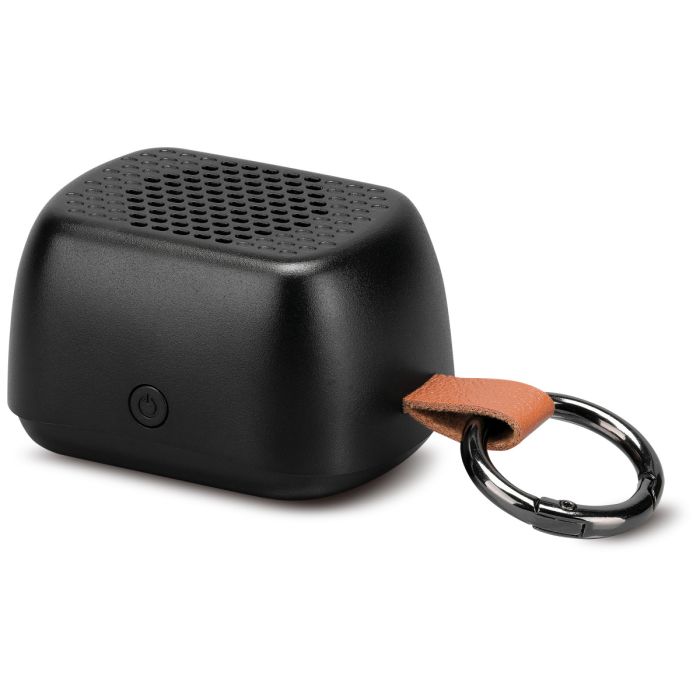
How do I turn the speaker on or off?
Press and hold the Power/Play/Pause/Pair button for 5 seconds to turn the speaker on or off.
How do I pair the speaker with my Bluetooth device?
- Turn the speaker on.
- Open your device's Bluetooth settings.
- Select IASB86 from the list of available devices.
- When connected, you'll hear the voice prompt: "Bluetooth connected."
What if the speaker won't connect to my device?
Try these troubleshooting steps:
- Remove IASB86 from your device's Bluetooth list.
- Turn the speaker off by holding the power button for 5 seconds.
- Turn it back on by holding the button for another 5 seconds.
- The speaker will automatically enter pairing mode. Pair it again through your Bluetooth settings.
How do I connect the speaker to a different Bluetooth device?
Press the power button twice to disconnect the current Bluetooth connection, then pair the new device using the normal Bluetooth pairing process.
How do I play or pause music?
Press the Power/Play/Pause/Pair button once to play or pause audio.
How do I reconnect to my last Bluetooth device?
Press the Power/Play/Pause/Pair button twice to reconnect Bluetooth.
What is Party Plus Mode?
Party Plus Mode allows you to wirelessly pair two IASB86 speakers together so they both play audio from the same Bluetooth device.
How do I enable Party Plus Mode?
- Power on both IASB86 speakers.
- Press the Power/Play/Pause/Pair button three times on one speaker.
- Wait for the speakers to connect.
- Pair your Bluetooth device to the connected speakers.
How do I exit Party Plus Mode?
Press the Power/Play/Pause/Pair button three times on either speaker.
How long does it take to charge the speaker?
A full charge takes approximately 2 hours using the included USB-C charging cable connected to a powered computer USB port or a UL-certified USB power adapter (not included).
What do the LED indicator lights mean?
|
LED Status
|
Meaning
|
|
Solid Red
|
Charging
|
|
Light Off
|
Charging complete
|
|
Flashing Blue
|
Bluetooth pairing mode
|
|
Solid Blue
|
Bluetooth connected
|
How does the magnetic back work?
The speaker can attach directly to magnetic surfaces. For non-magnetic phone cases, use the included magnetic ring by adhering it to the back of the case, then attach the speaker to the ring.
What comes in the box?
- IASB86 Magnetic Speaker
- USB-C to USB charging cable
- Magnetic ring attachment
- Key ring
- User's Guide
How can I maximize battery life?
- Fully charge the speaker before first use.
- Recharge it before storing it for one month or longer.
- Keep the speaker dry and avoid submerging it in water.
- Do not disassemble or modify the product.
Is the speaker waterproof?
No. The manual instructs users to keep the speaker dry and avoid rain or submerging it in water.
How do I control the volume?
Adjust the volume using the controls on your connected Bluetooth device.